Description
WooODT Extended – WooCommerce delivery plugin
WooODT Extended is a WooCommerce order delivery date time plugin with most advanced features and with maximum possible features those can be used in any delivery and/or pickup service website, this is an extended version of free WordPress plugin Woocommerce order delivery or pickup with date and time and is developed by ByConsole.
This extended version of this plugin obliviously includes the free version’s features as well as followings
Pre-order days
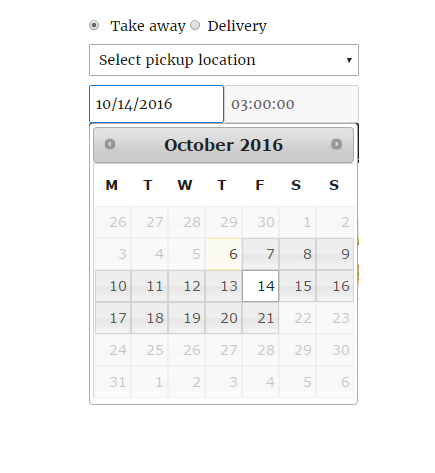
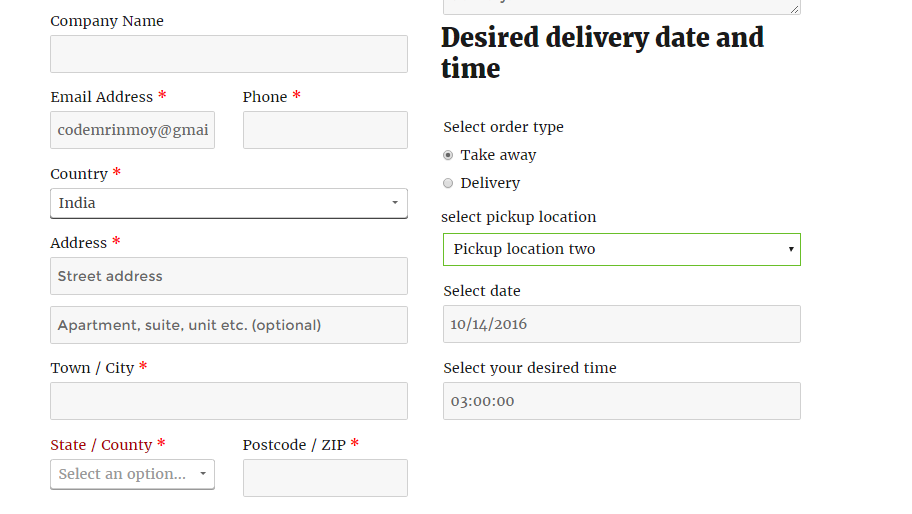
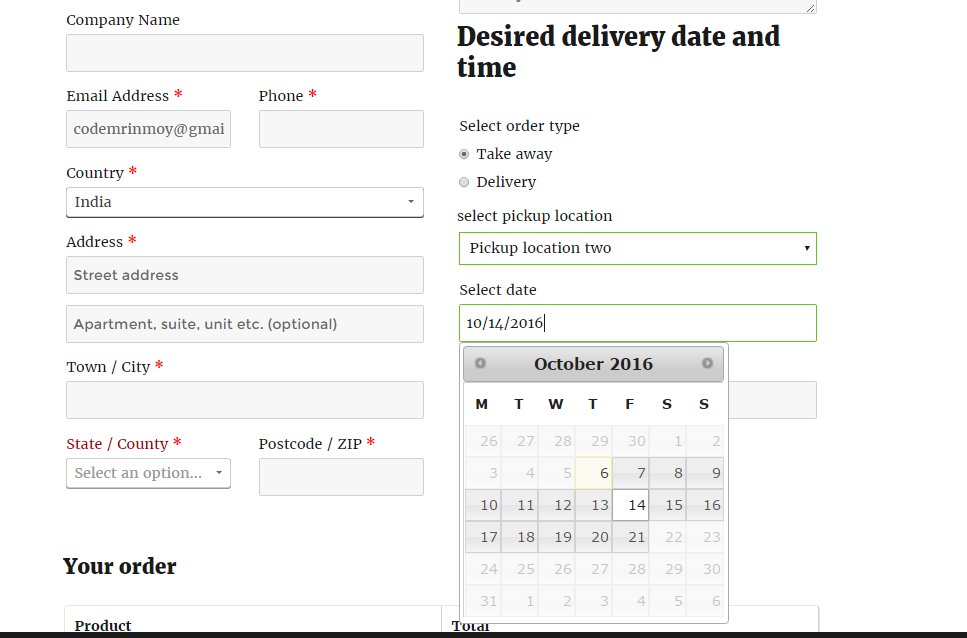
You can set allowable pre-order days. Customers will be able to select a date from your allowed pre-order days. customers can select date from calendar on widget and on checkout page.
WooCommerce delivery plugin – WooODT Extended | Store type
Pickup only store
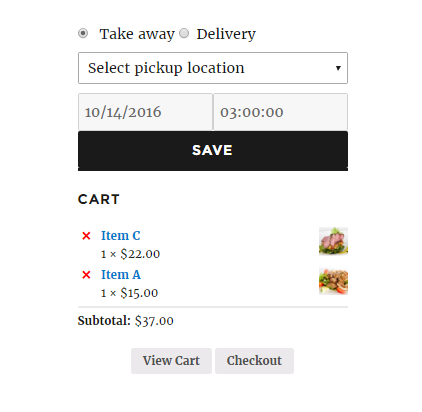
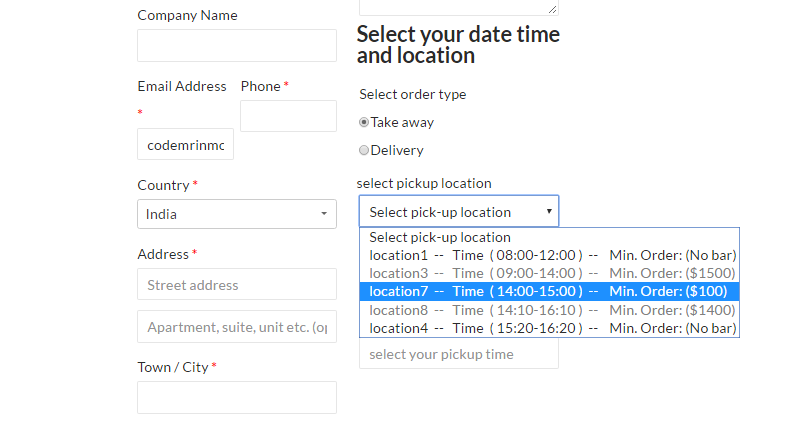
If store is setup as pickup only then customers will see only pickup option on checkout page along with option to choose a preferred date and time slot, and of-course a pickup location. Date and time slot can be vary depending on what location is chosen by customer.
If you have only one pickup location ie. that is your store address your customer will not see the location selection field on checkout page.
Delivery only Store
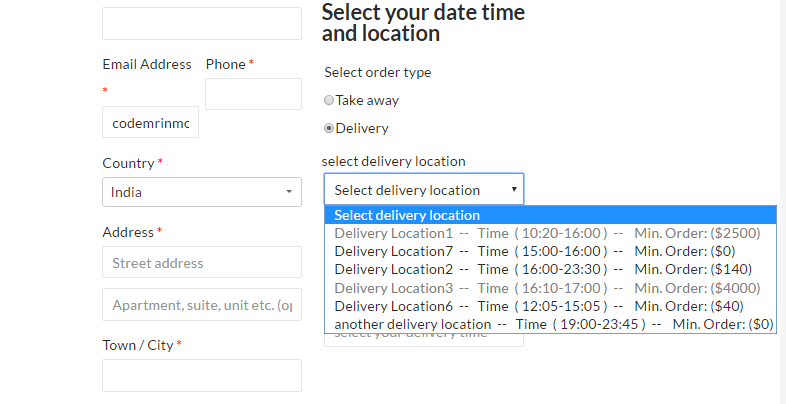
If store is setup as delivery only then customers will see only delivery option on checkout page along with option to choose a preferred date and time slot, and of-course a delivery region/area. Date and time slot can be vary depending on what delivery area is chosen by customer.
If you do delivery to everywhere ie; all over the state/country your customer will not see the location selection field on checkout page. In that case you will have a common delivery schedule for all.
Accept both delivery and pickup
With this WooCommerce order delivery date time plugin, WooODT Extended, while you can set your store as pickup only or delivery only there is an option to allow both and you will create two type of service routine one for delivery and another as pickup, you will have option to create location(s)/time slots/cutoff time/ service off day separately for delivery & pickup.
WooCommerce delivery plugin – WooODT Extended | Delivery & Pickup days
WooCommerce delivery days and pickup days
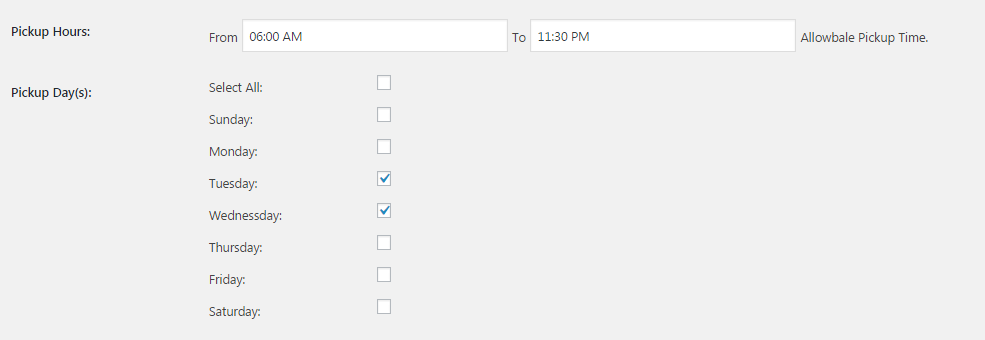
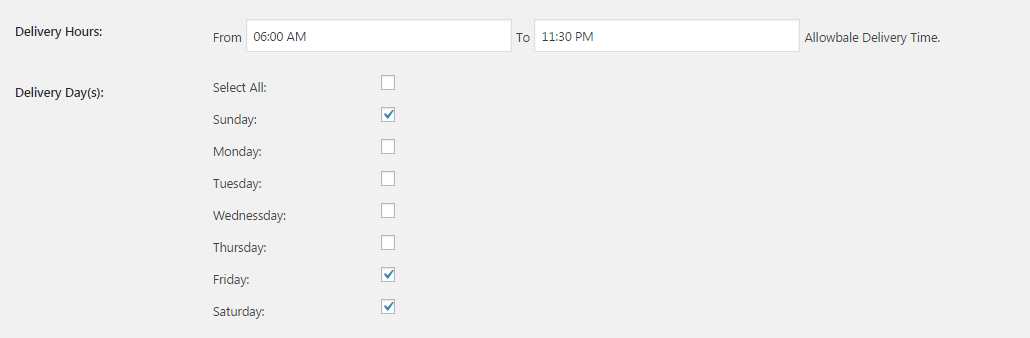
You can decide on which day(s) you will allow pickup of order(s) as well you can select all the seven days in a week or individuals day(s). When customers will select pickup date from widget or on checkout page, the calendar will allow to select only the dates those are on allowable pickup days(ie; on Sunday and Saturday only or on all days as you set it up in back-end). The same happens in case of delivery, customers will be able to choose any dates that falls on the days you defined on WooODT Extended plugin settings page.
WooCommerce delivery plugin – WooODT Extended | Time slots
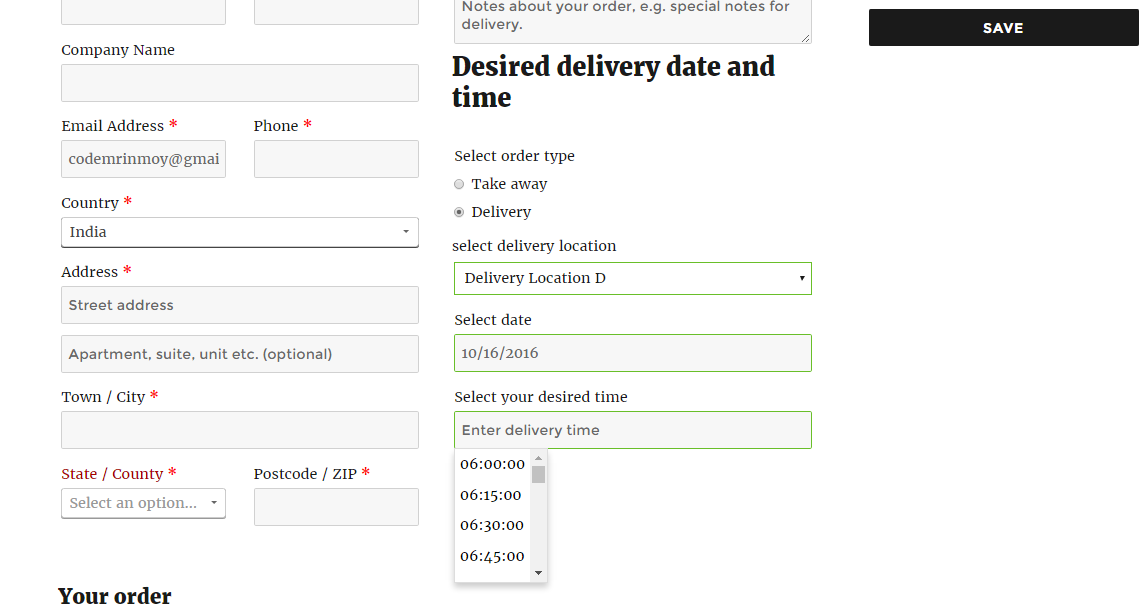
WooCommerce delivery time slots
With this order delivery date plugin, WooODT Extended, you have option to create two types of timeslot.
1) Automictic slot creation:
You just define when your delivery hours starts, when it ends. If there is any break time, just define at what time to starts and when to stops. WooODT Extended plugin will automatically convert it to 30 minutes slots.
2) Custom slot:
Create your own time slot as much as you need, like one hour long or 2 hour long or for any time duration.
Limiting number of pickups per time slot.
While creating custom slots for each location, you can define how many pickup orders will be accepted for that pickup slot. Once your defined number of pickup orders is booked for that slot, it will be disabled for that day. Although the same pickup time slot can be booked for any other dates, except the day it already received maximum number of allowed orders.
Limit number of delivery per delivery slot.
Similarly in case of delivery you have option to define how many orders can be delivered for a particular delivery slot under a specific delivery area. When a delivery slot for that delivery area is booked with maximum allowed number of delivery type order, it cannot be booked any more on that particulate date and for that particular delivery area.
WooODT Extended – WooCommerce delivery plugin | Cutoff times
Order placing cutoff time for same day delivery.
Although you can disable same day delivery. But when you allow same day delivery, you can define till what time you will accept an order for same day delivery. Any order placed after your defined same day delivery cutoff time, WooODT Extended plugin will block today’s date in calendar and customers will have option to choose any other days except today’s date. Of course the defined holidays will remain off on date picker calendar.
Same happens in case of any pickup orders if you enable order placing cutoff time for next day pickup.
Order placing cutoff time for next day delivery in WooCommerce order delivery date plugin – WooODT Extended
Like same day delivery cutoff time you can define till what time you will accept an order as eligible for next day delivery. So any customer visit your website after that time, they will see today’s and tomorrow’s dates are blocked in calendar. so the soonest date they can choose it day after tomorrow.
The same happens in case of pickup when you enable order placing cutoff time next day pickup.
Delivery slots availability depending on delivery area
Just create your delivery locations, and then under each location you can create your delivery time slots. So when customers choose a delivery area according to their living address, they will get different sets of delivery time slots to select, depending on what location they choose ie, where they wish to take the delivery.
The same happens in case of pickup. They will get different set of pickup time slots to choose one based on which pickup location they select.
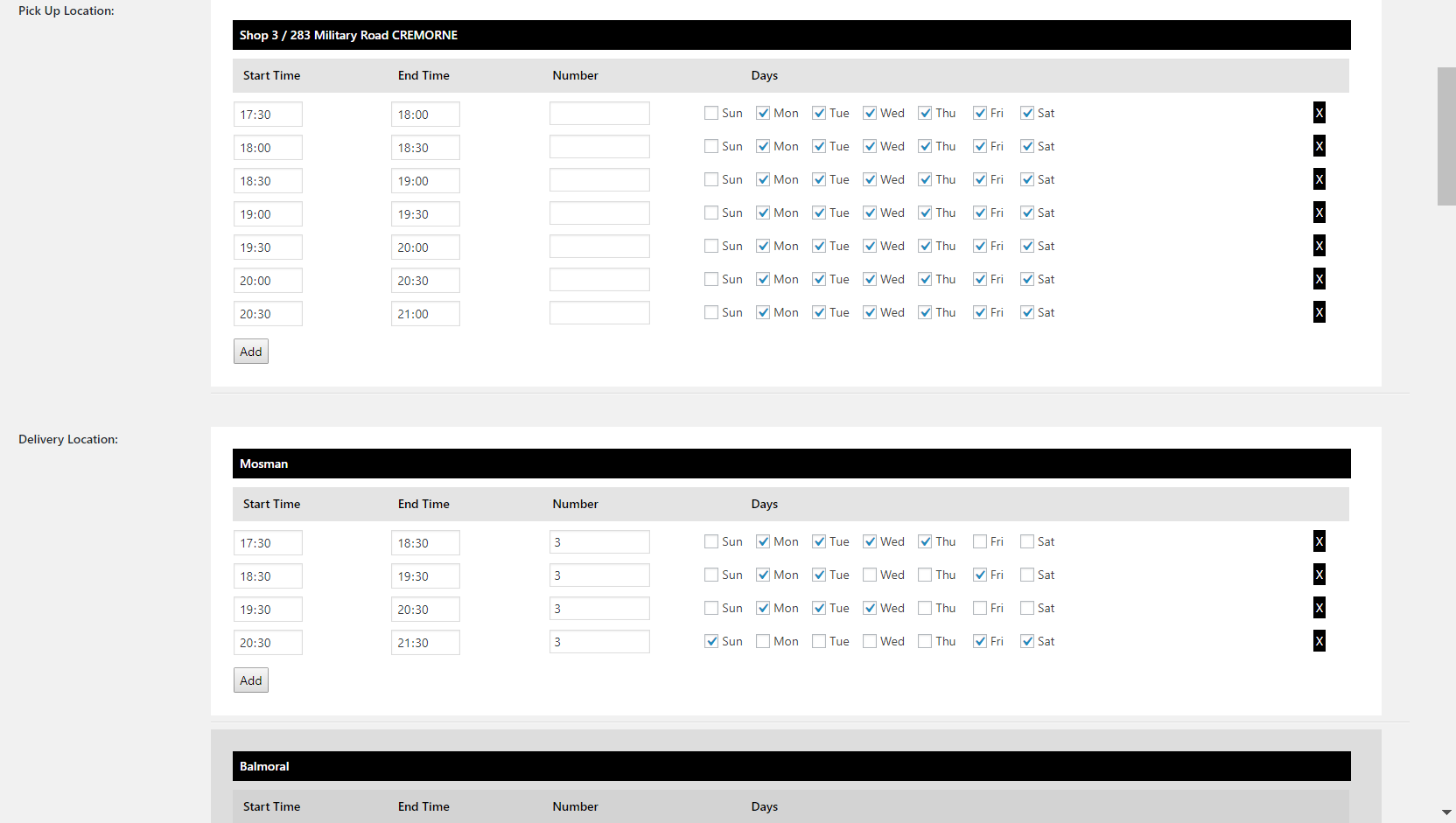
Delivery/pickup slots availability depending on week days
Create different time slots for each week day, so when you have regular time slot available from Monday to Friday, you can set different item slot for weekends, ie for Saturday & Sunday.
List your pickup points
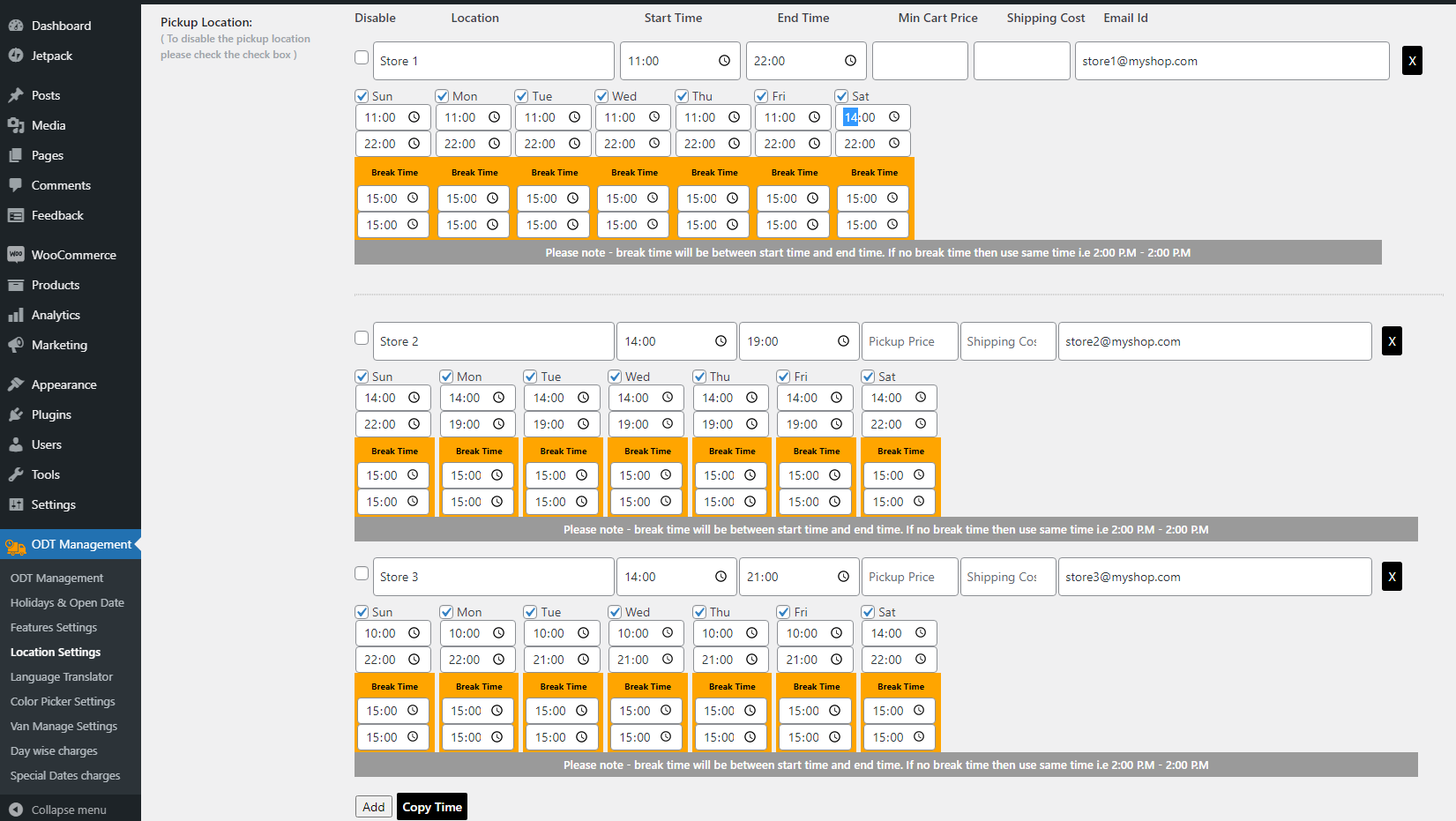
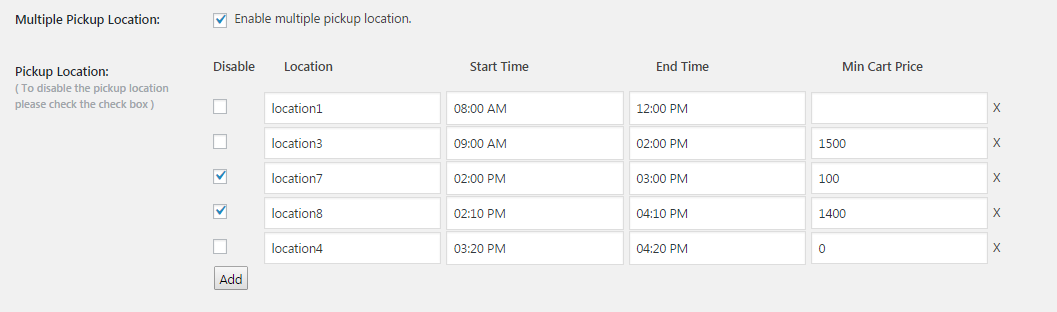
With this WooCommerce order delivery date time plugin you can set the locations from where customers can pick up their orders, set location list in back-end and customers will be able to select a location from pickup location drop-down. You can make your store as pickup only too.
Set Break time for pickup
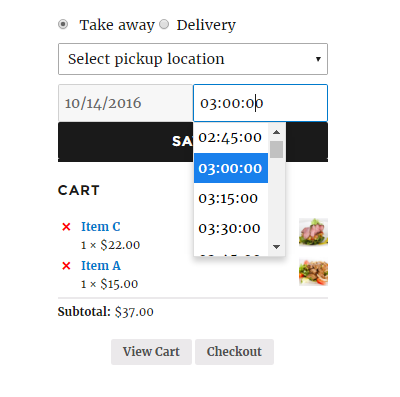
You can set break time for pickup (i.e. 2.00PM to 3.00 PM on each day), customers will not be able to select that time range from pickup time drop-down on widget/checkout page while placing an order.
Create pickup slots for each individual location
You can set pickup slots also and each pickup point can have different pickup slots. You need to put your pickup service time and this WooCommerce order delivery date time plugin will create continuous 30 minutes slots for your service time. If you set any break time it will create continuous 30 minutes slots excluding that break time.
Custom delivery slots for each location
You can create custom delivery slots also where you can create own time slots unlike automatic 30 minutes continuous slots.
Custom pickup slots for each location
You can create custom pickup slots also where you can create own time slots unlike automatic 30 minutes continuous time slots.
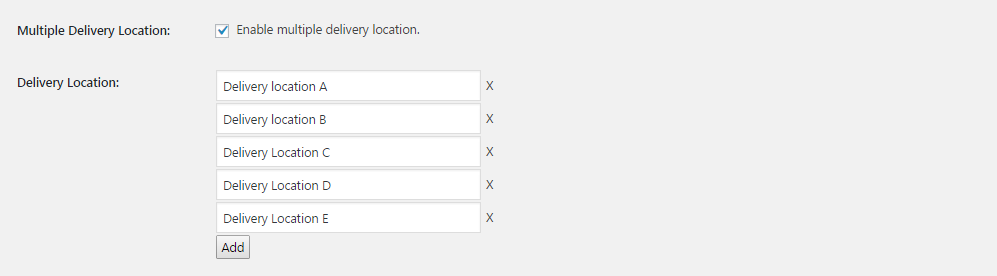
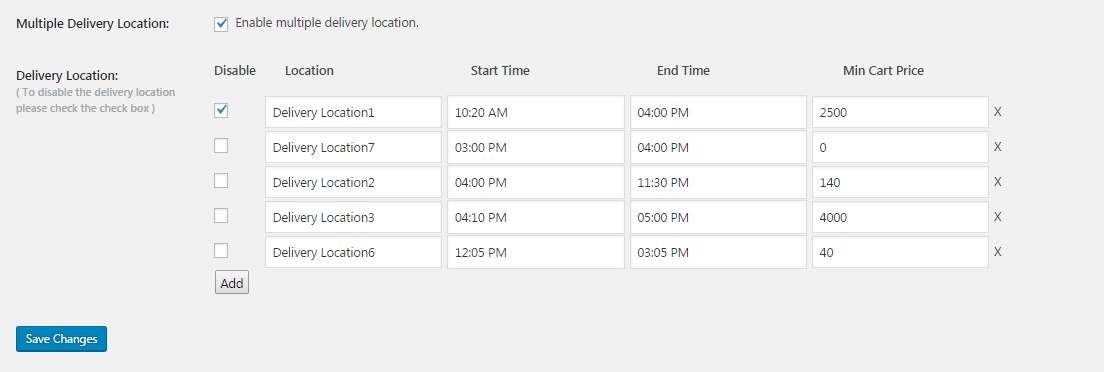
Predefined delivery locations
This is a part of the feature called as woocommerce date time location. You can set the locations for which you will deliver the order. Set location list in back-end and customers will be able to select a location from delivery location drop-down. You can disable multiple location feature too from settings page.
Set Break time for delivery
You can set break time for deliver/pickup (i.e.; 2:00PM to 3:00 PM on each day), customers will not be able to select that time range from time drop-down on widget/checkout page while placing an order.
Minimum preparation time for same day delivery / pick up
You can set minimum preparation time in plugin settings page and this will be applied only for same day delivery or pick up orders, like if you set it as 45 minutes then customer can’t select a time that is no later than 45 minutes from current time they are placing an order as same day delivery / pick up, if the order is placed for any other days than current date then customers can place an order with your opening time(no minimum preparation time will be applied here).
Automated shipping based on order type
Woocommerce automated shipping selection feature set shipping method automatically based on chosen order type ie; if customer select order type as pickup then the “Store Pickup” shipping is automatically applied and have no way to select other shipping method, same as if deliver option is selected on widget/checkout page then it will show your available shipping methods except the Store Pickup one(We recommend to keep two shipping method as flat rate and store pickup ).
Set time format
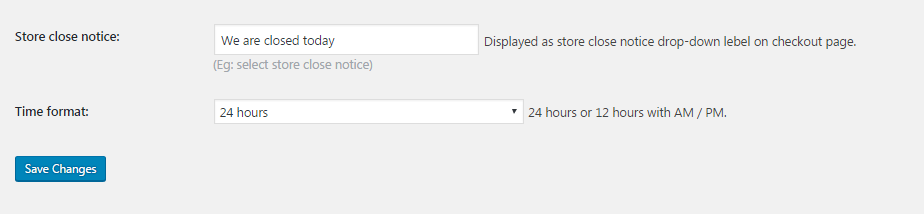
You can set time format as 24 hrs. or 12 hrs. (with AM/PM).
WooODT Extended – WooCommerce delivery plugin | Customers side info
Show delivery/pickup date, time, location info on email
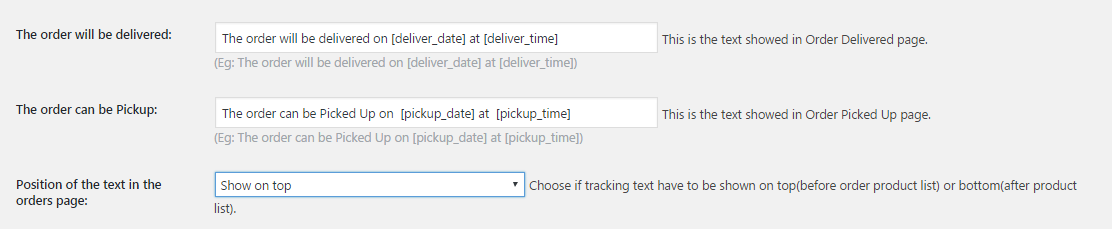
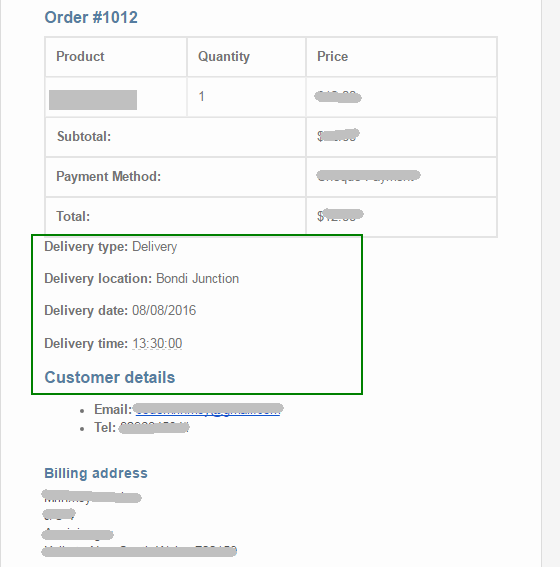
WooCommerce order delivery date time info is shown on customers email, whenever an order is placed and you can control what texts to show with delivery/pickup date and time.
Show delivery/pickup date, time, location info on my account page
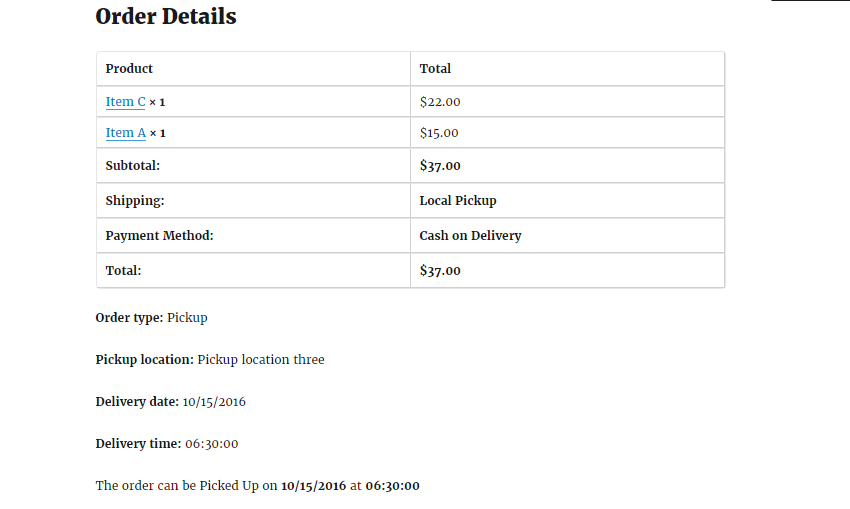
WooCommerce order delivery date time info is shown on customer’s my account page under each order. You can control what texts to show with delivery/pickup date and time.
Customizable text block to show on my account page
This plugin show the desired delivery/pickup date and time on order details page on front-end and you can control the texts to be shown there with their chosen date and time.
Set position of order info block on my account page
You can control where to show this delivery/pickup date and time and location on customer order page, two option is available as before item list or after item list.
Set position of order info block on customers email
You can decide where to show this delivery/pickup date and time and location on customer copy of email, two option is available as before item list and after item list.
WooODT Extended – WooCommerce delivery plugin | Admin side info
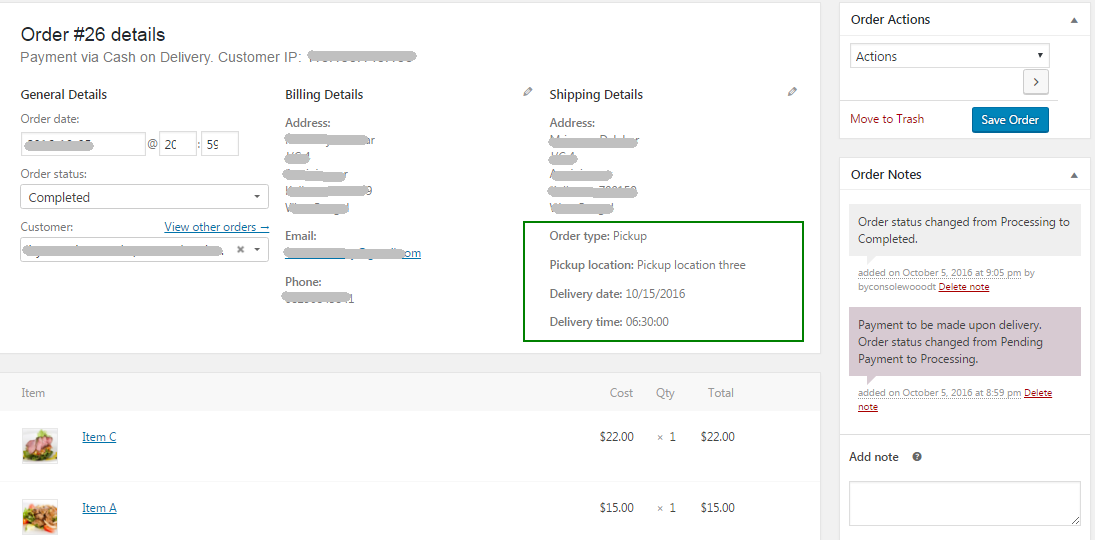
Delivery/pickup date, time, location data on admin side order edit page
All info is also shown on admin order details page, ie; order type: delivery/pickup, Delivery/pickup date and delivery/pickup time.
ODT info on administrator email
WooCommerce order delivery date time info is shown on admin email.
ODT info to location administrator email.
Like admin new order notification email, a same email will be sent to location administrator email for the location receiving the delivery/pickup order. To receive additional email for that location you must provide admin email for each location separately.
WooODT Extended – WooCommerce delivery plugin | Add additional fees
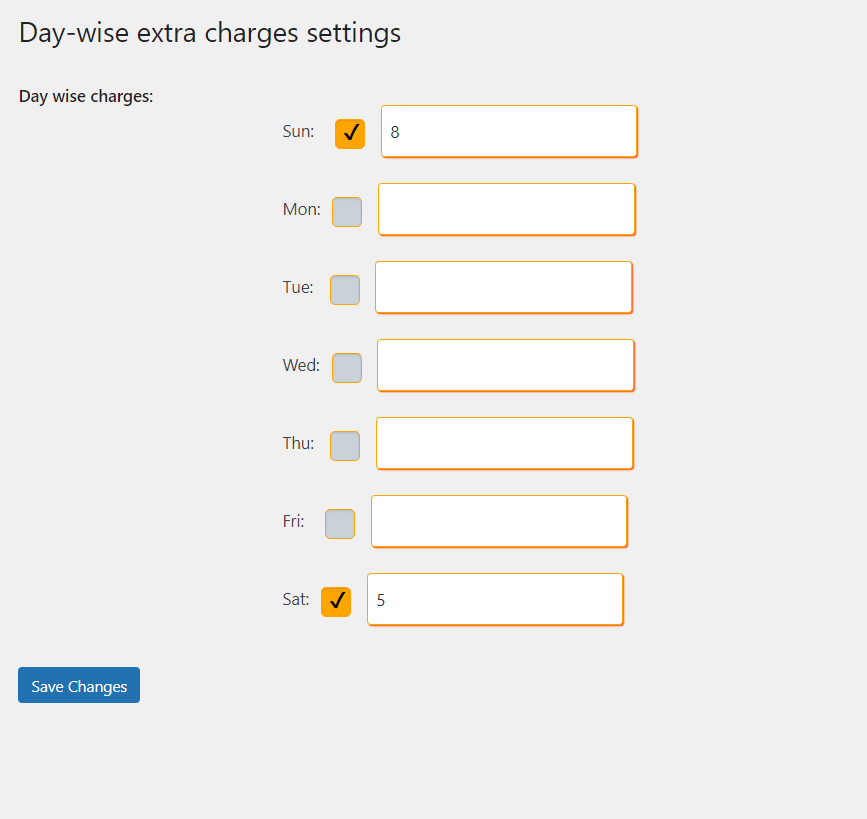
Additional fees for delivery on specific days.
Set extra charges when a specific day is chosen for delivery. Like you can add addition fees for delivery on Sundays or any other specific day(s).
Additional fees for pickup on specific days.
Set extra charges when a specific day is chosen for pickup. Like you can add addition fees for pickup on Sundays or any other specific day(s).
Special dates open with additional charges
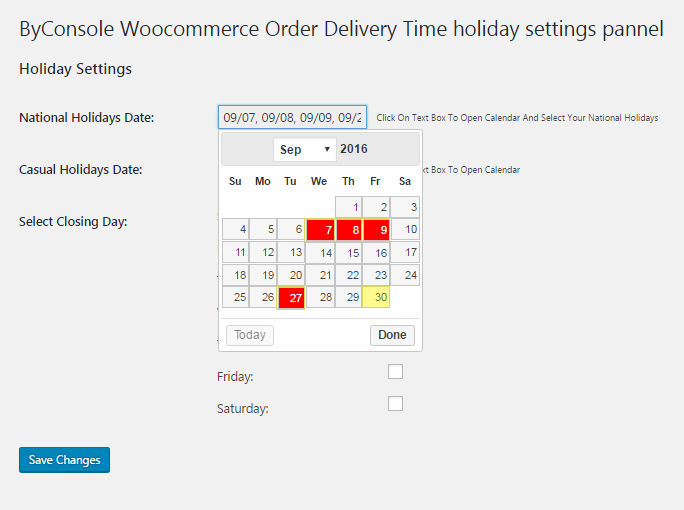
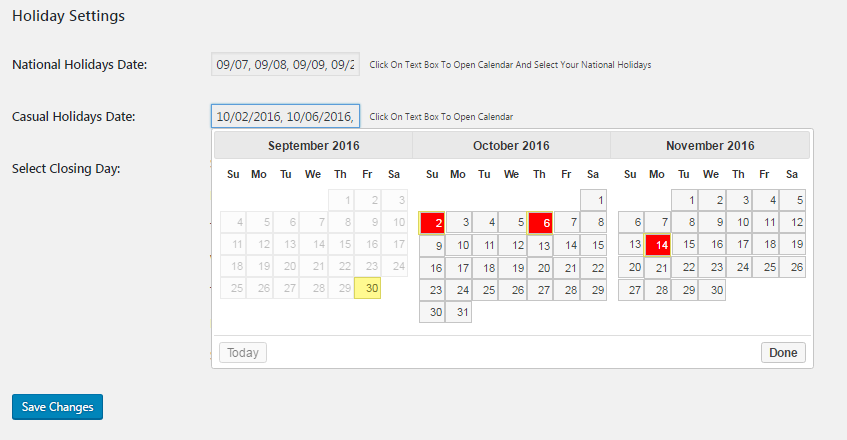
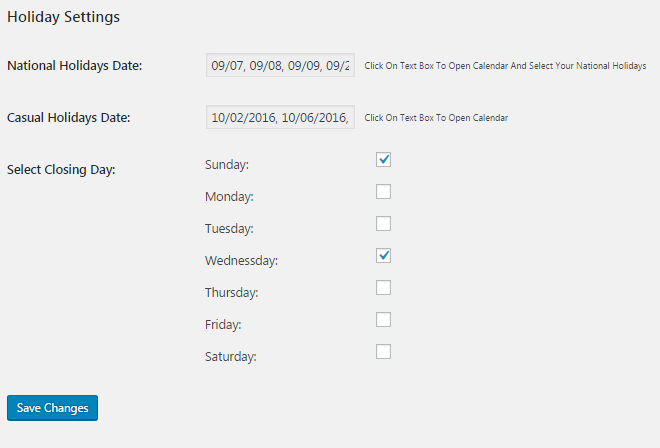
When there are weekly off days in your weekly schedules and holiday calendar also present there, you can override them for an extra fees. Like you can allow pickup/delivery service on special dates with additional charges. Special dates can be any calendar dates that you choose as special dates.
Separated minimum waiting time for pickup and delivery
Different minimum waiting/preparation/lead time for pickup and delivery respectively.
Hide shipping fields when order type is pickup
Automatically hide shipping fields on checkout page when order type chosen as pickup.
On demand support
With each purchase there is a free support included for a year. Renew it when you need support/customization but your purchase date already completed a year.
On demand customization
Customization is free based on how you want to customize it. You can also place an order for customization, where the cost is decided after a details discuss with you and you got priority all the time.
Click here for this WooCommerce order delivery date time documentation
Free version
of this WooCommerce order delivery date time plugin is available on WordPress.org
Multi vendor versions
Get WooODT Extended for Dokan multi-vendor.
Get WooODT Extended for WC Marketplace multi-vendor.
Get WooODT Extended for WC Vendors multi-vendor.
Get WooODT Extended for WCFM multi-vendor.
Get WooODT Extended for YITH multi-vendor.
Know more about :
woocommerce delivery date time location
WooCommerce pickup date time location
WooCommerce customer delivery date
Location based new order notification email recipient(s)
Day-wise extra delivery charges for each of seven days.


mann (verified owner) –
The product is good, clear & simple and the tech guys behind are quick , knowledgeable and fix the problem.
I recommend ODT and thank the tech support. 5 stars from me
Alan (verified owner) –
Super fast support. You guys rock! They loggedin and fixed everything I needed in no-time. Handsdown for great support. I recommend purchase.
Keep up with the great work BC.
ian (verified owner) –
Hands Down the best value for money and the best service. The support is absolutely 20 out of 10. I needed the plugin customized to suit the web design and they did everything for the base cost no extra fees at all. Highly recommended will use again many times. Wish i could trust other plugin providers as much as these guys.
Damien (verified owner) –
Great product , very useful and working super. Quick and perfect respons from the support team
Sarah –
Got what we were looking for, always provided fast support even for the day writing this review.